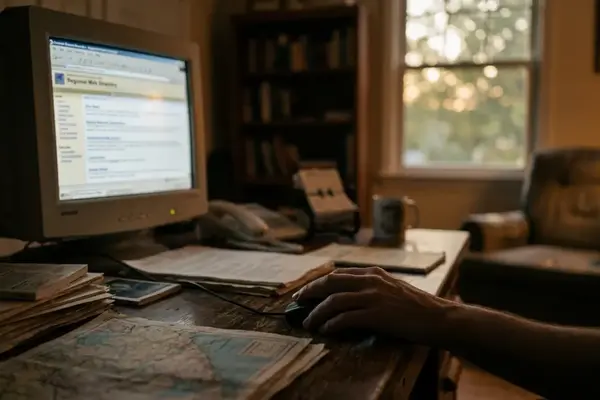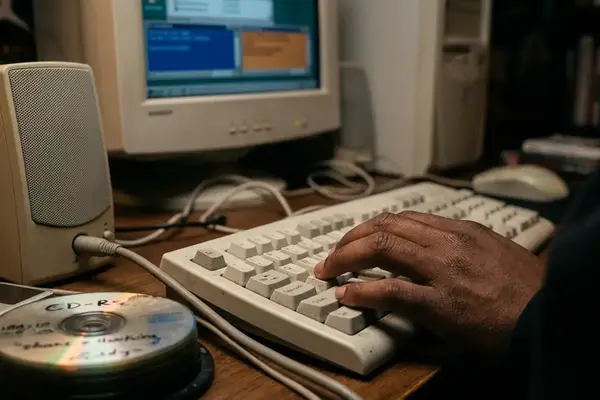
Picture a beige Gateway-style tower humming under a desk sometime around 1999. The CRT glows, the modem finishes its handshake, and a single browsing session begins. Then an email arrives with an attachment that looks almost friendly, or a message board post warns about a file with a name you have never heard of.
This is not an exploit guide. It is a curated reading of early web security scares, treated the way a newsletter archive treats any artifact worth saving: with context, patience, and a little distance.
The evidence here is deliberately user-level. Named files. Dated support posts. All-caps warnings. Forum threads where strangers asked strangers for help. What I want to reconstruct is not how the code worked, but how trust, fear, and curiosity moved through the early public web before anyone had a tidy vocabulary for it.
A Dial-Up Evening, a Strange Attachment, and a Forum Thread
Home use in that window—roughly 1998 to 2000,put nontechnical people directly in the path of things that had no clear label yet. Email attachments reached a family machine before formal security guidance did. A warning on a message board might be the only documentation a worm ever received.
So the entry point matters. Before any malware terminology appears, there is just a person, a desktop, and a file that feels slightly off.
That feeling—the hesitation over an attachment, is the real subject. Everything below is an attempt to trace where it came from.
Criteria for Selection: Why These Scares Belong Together
I picked artifacts an ordinary user could notice without specialist tools. A strange attachment. A changed Windows networking file. A removal plea posted to a forum. A public request for account-access software. Each one left at least one concrete trace: a filename, a support-thread title, a dated inquiry, or a warning description.
The range spans 1999 through 2003. Happy 99. BackDoor-G. A removal thread. A Hotmail and Yahoo hacking solicitation. Together they read as web finds & curiosities—evidence of how fear and curiosity behaved in public spaces, not a technical taxonomy.
One honest limit belongs here, in the body rather than tucked into a footnote: this is a focused archive of visible scares and public posts. It is not a complete chronology of early malware or account abuse. A dated support thread can show panic and peer repair culture without proving that every removal instruction inside it was correct.
Field Note:
A filename match from a 1999 warning is not enough to judge a modern system file. Location, hash, operating-system version, and current vendor guidance all change the interpretation. Read these as history, not as instructions.
1. Happy 99: The Friendly-Looking Worm That Made Email Feel Risky
Happy 99 goes first because it maps so cleanly onto the dial-up scene. It arrived by email. It looked harmless. And it taught a generation that a cheerful greeting could still carry risk.
The visible executable was ska.exe, paired with a library named ska.dll. Behind the novelty, the networking layer got touched: wsock32.dll was modified or replaced, and a backup called wsock32.ska was created from the original winsock file.
That detail is the whole lesson. The danger did not announce itself with a skull or a threat. It wrapped itself in fireworks-and-greeting-card energy, then quietly rewrote a file most users had never thought about. Novelty became the disguise.
2. “REMOVAL OF HAPPY 99 VIRUS”: Security as Kitchen-Table Repair
The thread title survives in its original shout: “REMOVAL OF HAPPY 99 VIRUS.” The all-caps is not noise. It is the sound of someone trying to save a home machine and hoping a stranger will answer.
The dates make it vivid. A support request posted May 01, 2000. A follow-up response dated January 27, 2001. Nearly nine months between the question and a usable reply.
The machine was an ordinary family internet PC running consumer Windows. And the discussion stayed grounded in filenames and concrete removal steps rather than abstract cybersecurity language. This was security as domestic repair—peer-to-peer troubleshooting, one named file at a time. Where the preserved thread records a long gap between plea and answer, the finding is less about technical accuracy than about how slowly help traveled.
3. BackDoor-G: When “Remote Control” Became a Warning Sign
Happy 99 was about novelty. BackDoor-G was about someone else being in the room.
The warning classified it as non-replicating malicious code—not a self-spreading worm, but a remote-control Trojan horse tool. That distinction mattered to readers: this thing did not multiply on its own. It waited.
The named components let users see how a threat description was assembled:
- BackDoor-G.ldr: the loader, described as residing in the Windows folder.
- BackDoor-G.srv: the main Trojan server file, described as capable of receiving remote commands.
- WATCHING.DLL: copied to the Windows/System folder.
- LMDRK_33.DLL: an alternative name for the system-monitoring library.
Reading that list in 1999 would have been genuinely unsettling. Not because of what any single file did, but because the warning implied a structure—a loader, a server, a watcher, living quietly inside folders you were told to trust.
4. BackDoor-G.cli: The Hacker-Side Tool Hidden Behind the Scare
Every Trojan scare has two halves, and most warnings only showed one. BackDoor-G.cli was the other: the client, the controller-side interface, described alongside the server component sitting on an infected machine.
I am not going to describe how such a client operated, and the historical record does not need me to. The point is conceptual. A remote-control scare was never just one file on a victim's PC. It was a pairing—something on the target, something in the hands of whoever was reaching in.
Searches for the name today probably reflect curiosity, cleanup research, or plain safety worry. Recognition and caution are the useful outcomes, not operation.
5. WATCHING.DLL and LMDRK_33.DLL: The Suspicion Around System Files
Here is where early security anxiety changed shape. It moved from visible programs you could delete to hidden files sitting in trusted system locations.
WATCHING.DLL was described in the BackDoor-G warning as copied to the Windows/System folder. LMDRK_33.DLL appeared as an alternative name for the same monitoring role. Two ordinary-looking DLLs, tucked exactly where a user was least likely to look and least equipped to judge.
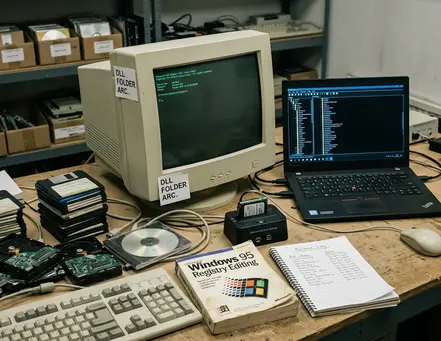
That is the shift worth translating for non-specialists. The scare trained people to read system-file names as clues even when they had no way to verify what those files actually did. A name became a symptom. And once you learn to fear a folder, the fear does not stay contained to one worm.
The modern correction is simple to state and easy to forget: a matching name proves almost nothing. Location, hash, and the current operating-system context decide the meaning now.
6. “HACKING INTO HOTMAIL AND YAHOO ACCOUNT”: Account Takeover Goes Public
By 2002 the fear had turned inside out. The worry was no longer only about infected files arriving. It was about someone wanting into your inbox.
The preserved thread opens with an inquiry dated March 01, 2002 from a requester named Sheri, asking for software to access Hotmail and Yahoo accounts. The targets were the major webmail services and the adjacent chat identities that came with them, MSN included. This material predates the everyday vocabulary we use now—account takeover, recovery-flow abuse, credential phishing. The demand existed before the words did.
Then it grew. Across April and May 2003 the thread stopped reading like a single question and started reading like a solicitation space. A frequent respondent named Dennis Thomas appears in the record, replying with a confidence that made dubious services look reachable to casual readers.
An earlier post from July 12, 2001 catches the tone from a different angle. Titled “Who need to be a hacker?!!”, posted by someone named Aladdin who described himself as a computer and internet engineer, it proposed a group called International Beginner Hackers. Aspirational, informal, ethically unstable—curiosity about learning tangled up with the darker requests around it.
A public solicitation thread like this documents demand, trust signals, and dubious offers. It does not prove any account was ever actually compromised. What converged in that thread was social, not technical: curiosity, revenge, desperation, and misplaced trust, all posting in the same margin.
Bottom Line:
The early web moved from fearing files to coveting inboxes in about three years. The artifacts—named executables, dated pleas, all-caps titles, are the fingerprints of that turn.
Reading Old Scares Without Repeating Them
Handle these the way you would handle any fragile archive item. Preserve the text. Compare named artifacts against each other. Keep historical description separate from anything that sounds like current cleanup advice.
The safety baseline is short. Do not run old executables. Do not follow archived removal commands blindly. Verify any file concern through current, trusted security tools rather than a 2001 forum reply.
So set the two artifacts side by side and just look. On the left, a 1999 remote-control Trojan warning listing BackDoor-G.ldr, a server file, and a DLL copied where nobody checks. On the right, Sheri's March 2002 request and Dennis Thomas replying through the spring of 2003, a message board slowly turning into a marketplace of promises. The CRT would have flickered a little between the two. The margin note writes itself: the web learned fear one filename at a time.