Quick Nav
- What We Lose When We Ignore the Weird Web
- Curiosities Are the Web’s Field Notes
- Usefulness Often Arrives Disguised as Nonsense
- The Polished Web Has a Memory Problem
- How to Read an Odd Site Without Romanticizing It
- Build a Small Web-Find Habit
What We Lose When We Ignore the Weird Web
Dismiss an odd little webpage as clutter and you throw away three things at once: a usable idea, a piece of cultural memory, and a working alternative to the platform-shaped internet everyone now defaults to.
That is the stakes-first version of the argument, and it is worth stating plainly before any celebration of quirky links begins. Weird sites, tiny single-purpose tools, personal pages, and internet oddities are not valuable because they are old. They are valuable because they show people experimenting online—trying an interface, a joke, a fan glossary, a strange data toy, before those experiments either go mainstream or vanish without a trace.
To keep this concrete, it helps to fence off what counts. A weird web find, for the purpose of preserving it, is a public page a regular reader can visit without logging in, installing anything, handing over personal data, bypassing a warning, or joining a closed group. Anything invasive, exploitative, unsafe, pirated, or private stays out of the collection no matter how unusual it looks.
This is an editorial position, not a nostalgia trip. The point is not that the old web was better. The point is that it was more varied, and variety is exactly the resource a homogenized web keeps quietly draining.
Curiosities Are the Web’s Field Notes
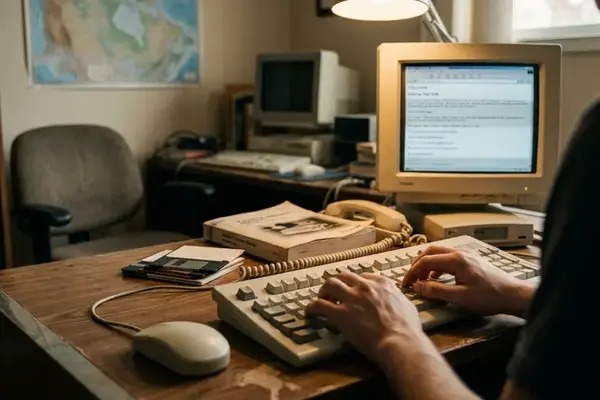
An odd personal page behaves less like a product and more like a field note. It records a person solving a narrow problem in a memorable way, and it usually shows the process rather than hiding it.
Compare the two ends of the spectrum. A polished platform optimizes for scale and retention, which means it buries decision-making behind templates, feeds, and metrics. A small independent page tends to leave its seams visible—an idiosyncratic layout, a hand-written explanation, a changelog that reads like a diary. Where the platform smooths everything into sameness, the curiosity keeps the fingerprints.
That is why these artifacts are useful to more than sentimental browsers. Writers mine them for texture. Educators use them to show how a format evolved. Designers study interface choices no committee would approve today. Digital archivists treat them as primary sources. Curious readers just enjoy the strangeness, which is a legitimate reason too.
What to read off the page
A quick assessment usually turns on six signals: the interface pattern, the apparent audience, the creator signal, the page function, any visible date evidence, and the cultural texture. Provenance shows up in ordinary places—an author byline, a footer credit, a personal domain, a project changelog, a source link, a contact page, or a dated update note.
For an archive, none of this needs to be exhaustive. A ten-to-twenty-minute pass is enough to sort a find into dead, trivial, unsafe, or genuinely worth keeping. Most pages classify themselves faster than you expect.
Usefulness Often Arrives Disguised as Nonsense
Narrow and playful projects tend to be useful precisely because nobody weighed them down with enterprise expectations. A single-purpose calculator that does one thing well beats a bloated dashboard that does forty things badly.
The categories carry the point better than any invented brand name would: single-purpose calculators, odd text generators, amateur subject indexes, personal databases, tiny learning tools, hobbyist explainers, fan-maintained glossaries, and interactive demos. Each of these tends to solve a real, specific need that larger products either ignore or drown in features.
There is a second, quieter payoff. Exploring unusual sites trains pattern recognition. A reader who spends time with strange formats gets faster at spotting emerging conventions, overlooked needs, and the creative constraints that produce good small tools. Curiosity, practiced regularly, becomes a working skill.
Field Note:
Before recommending a small tool, spend five to eight minutes actually testing its central function. Feed it one normal input, one edge-case input, and one attempt to locate the creator or a last-updated note. The minimum context to hand a reader is four lines: what it does in a sentence, who benefits in a sentence, whether it appears active, and one limitation such as dated information, broken media, or confusing navigation.
The Polished Web Has a Memory Problem
The modern web is more legible and less varied at the same time. Social feeds, search-optimized pages, app stores, and template-driven publishing make everything easy to skim and hard to distinguish. Sameness is comfortable. It is also forgettable.
Worse, the polished web forgets in observable ways. Failure is not abstract decline—it is a list of specific breakages: expired domain registration, unpaid hosting, broken image paths, removed embedded media, abandoned personal pages, migrated content management systems, and search results that stop surfacing the original page at all. A link that resolved last year can point at nothing today.
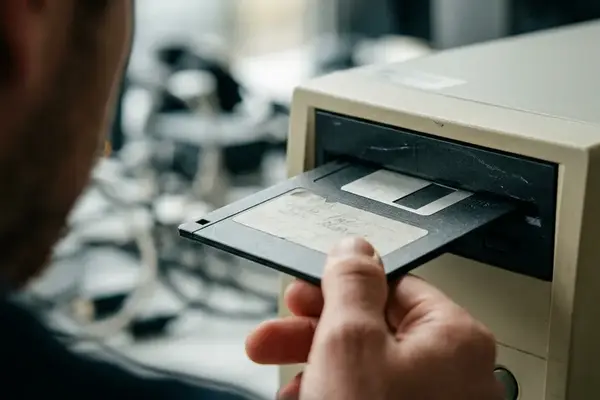
Institutions understand this, which is why selective preservation exists. The Library of Congress Web Archiving program collects chosen web materials because online publications can hold enduring cultural, historical, and research value. But selection and technical limits mean no archive can capture the whole public web—which is exactly why individual capture habits still matter.
The practical response is fast. When a page looks culturally or practically valuable, save its title, URL, access date, and a short description the same day. If it is headed into an archive or a newsletter, check availability again within a month or two, because the window between “interesting” and “gone” is often short.
How to Read an Odd Site Without Romanticizing It
Responsible collecting sits between two mistakes: dismissing a curiosity too quickly and overpraising it because it looks old. A repeatable method keeps you honest.
Four checks, in order:
- What does the site do? Identify the core function within a few minutes, or admit there isn’t one.
- Who appears to have made it? Look for a byline, footer, domain, or contact trail.
- When was it active? Read date evidence in a strict hierarchy—explicit update date first, visible changelog second, dated comments or posts third, and copyright footer last, since footer years often update automatically.
- What context or risk should a reader know before sharing it? Flag anything outdated, broken, or misleading.
Set a sharing threshold and hold to it. Do not recommend an odd page until its main link loads, its core function can be understood in two to five minutes, and any obvious outdated claim is labeled for what it is, artifact, joke, experiment, tool, or reference.
On the nostalgia objection
Some readers will call this digital hoarding, or a distraction from better-designed resources. Fair, up to a point. A strange page with no visible function, no creator signal, no cultural context, and a dead central feature should not be elevated just because it looks eccentric. That is the failure case the method is built to catch.
Context saves many finds the objection would discard, though. An obsolete tutorial is useless as current instruction and genuinely valuable as evidence of past software habits, classroom practices, hobbyist language, or early interface assumptions. The trick is to name which kind of value you are claiming.
Build a Small Web-Find Habit
The argument only pays off if it becomes a practice, so here is the lightweight version. Keep a simple capture template and fill it in the moment a find catches your eye.
Seven fields do the work: page title, URL, date found, visible creator, what it does, why it is interesting, and whether it still works. That last field is the one people skip and the one future readers need most.
When you share, share with context instead of dumping links. The minimum format is three sentences: one on practical use, one on cultural texture, and one warning if the page is outdated, broken, inaccessible, or hard to navigate. Link dumps without dates, descriptions, or risk labels recreate the exact memory problem they claim to solve—future readers can’t tell what the page was, why it mattered, or whether it was safe.
Revisit saved finds every six to twelve months to confirm the domain still resolves, the embedded media still loads, and the page still does what it promised.
Bottom Line:
Pick one odd public page this week, run it through the four checks, and record it in the seven-field template with a single honest “still works / doesn’t” note. Do that once a week for four to six weeks before expanding the system—long enough to reveal patterns, short enough that discovery never turns into a backlog chore.