What Did San Francisco Look Like When the Web Still Felt Local?
What can a handful of early San Francisco web pages still tell us about how the city explained itself, organized its days, and imagined its own reflection before search engines and platforms flattened local discovery into a scroll?
That question is the whole point here. This is not a ranking of old sites, and it is not a complete historical archive. It is a curated browsing trail through web finds and curiosities that happen to be rooted in one place.
The focus stays deliberately narrow: local guides, civic information, cultural institutions, neighborhood usefulness, and the occasional odd artifact that only makes sense once you understand who built it and why. The browse window runs from the late 1990s through the mid-2000s, with earlier captures pulled in when a page is still legible and clearly tied to civic, cultural, transit, or neighborhood use.
A page earns its place when its archived capture still shows something real: readable navigation, local place names, dated listings, address blocks, route references, or the small editorial notes a maintainer left behind. A skyline graphic with no addresses, no districts, and no contact details is decoration. It is not evidence.
Criteria for Selection
Every candidate goes through two passes.
The first pass asks a blunt question: does this page have a clear San Francisco or Bay Area reason to exist? A neighborhood guide, a municipal service page, a transit reference, a cultural calendar. If a site mentions the city only as a generic travel keyword or a market label, it drops out immediately.
The second pass looks at time. Where possible, a candidate is compared across three captures: an early readable version, a middle capture after at least one visible update, and a later capture near the end of the early-web design period, usually within a 1997 to 2006 band. Searching works best in paired terms rather than broad queries. Combine a local term such as Mission, Muni, SoMa, or Bay Area with a function term like guide, directory, events, webcam, calendar, parking, or map.
A page stays on the list when the archived view retains two or more local signals: street names, route names, district labels, venue contact details, weather references, department names, or dated announcements.
One caveat belongs right here, inside the method rather than tucked into a disclaimer. Archived captures often preserve navigation and copy while losing forms, scripts, images, and server-side search. A guestbook may render as plain text; a permit lookup may be a dead button. Read this list as a curated browsing trail, not a working reconstruction of the live web as it once behaved.
The Curated List: 9 Early-Web San Francisco Finds Worth Browsing
The nine categories run from practical public navigation toward stranger cultural residue. Civic pages come first, because they show the web quietly replacing counter visits, phone directories, and printed schedules.
1. Civic pages that turned City Hall into a directory
Early municipal pages were rarely pretty, and that is exactly why they matter. Judge them by their department lists, public-meeting references, permit pathways, phone numbers, and address blocks — not by their visual polish.
A broken permit form is a good example of context-dependent value. On a civic page, that dead form is still evidence that the site once handled service requests and public contact. On a decorative fan page, the same broken widget adds little beyond nostalgia. The plain-language usefulness of government pages before app-style portals is the thing worth preserving.
2. Neighborhood and visitor guides built before algorithmic maps
These are the human-edited pages, and their quirks are the point. The strongest ones offer district-level advice: parking cautions, walking-route notes, restaurant clusters, hotel-area descriptions, street-by-street orientation written by someone who clearly walked the block.
You can hear the maintainer's voice in them. A warning about a hill, a note that a lot fills by nine, a favorite taqueria mentioned twice. That editorial tone is what modern algorithmic discovery stripped out.
3. Event calendars that captured the city's cultural tempo
An event calendar is only useful for this browse if it retains dated listings inside the capture — music nights, gallery openings, readings, museum programs, club listings, community notices arranged by day or week. A blank template teaches you nothing. A page showing three specific Friday shows in a specific month shows you how local culture actually moved online.
4. Transit and wayfinding pages built for someone leaving a desk
Evaluate these for printable logic. Route names, fare notes, station references, ferry links, bridge-traffic pointers, map thumbnails, and directions written for a person about to walk out the door before anyone carried a smartphone.
5. Museum and science pages with a hands-on identity
Institutional pages belong here when they show an educational personality: experiments, exhibits, teacher materials, public-program descriptions, or interactive demonstrations that still leave readable traces in static archives.
6. Restaurant and district clusters
Grouped listings by neighborhood, often with hand-typed addresses and phone numbers, tell you where the city thought its food scenes lived.
7. Community and civic notices
Dated announcements, meeting notes, and local bulletins that preserve the rhythm of neighborhood life.
8. Weather and fog references
A small but distinctly local signal. Any page that mentions the fog by name understood its audience.
9. Guestbooks, splash screens, and hand-built oddities
The residue category. A guestbook, a frameset, a static map, an animated splash — artifacts that show a real person trying to make a corner of the web feel like home.
How to Browse These Pages Without Getting Lost
Random archive clicking turns into broken-link drift within minutes. A narrow method holds together far better.
Start with one category. Open three to five captures, not dozens: one early readable version, one later version after a visible redesign or content update, and one final capture before the page disappears, redirects, or becomes platform-like. Most of these live in the Internet Archive's Wayback Machine, which makes the year-to-year comparison straightforward.
Spend roughly ten minutes on a single page family before moving on. That is usually enough to surface the local signals worth logging — neighborhood names, transit terms, venue lists, weather notes, email addresses, and handwritten-style editorial comments.
Keep a short log with four fields: page type, local signal, practical task served, and artifact noticed. The artifact might be a guestbook, a frameset, a broken form, a splash screen, or a static map. Compare pages across adjacent years when you can, since a one-year jump often reveals whether a guide was maintained, abandoned, redesigned, or absorbed into a larger portal.
Bottom Line: The most valuable early-web pages are rarely the prettiest. A page with ugly frames, tiny fonts, and dead image icons can be more historically useful than a polished splash screen if it still preserves district names, event dates, transit instructions, or a local maintainer's notes. Value here is measured by how clearly a real person tried to solve a local problem online.
Field Note: If a capture shows a San Francisco skyline and nothing else — no addresses, no routes, no dated listings, close the tab. Pretty is not the same as local.
A Five-Minute Browse Through Early-Web San Francisco
Picture a reader at a library desk in the afternoon.
She types a neighborhood name and a function word into the archive, and an old Mission guide loads with its frames intact. There is a Muni note near the top — a route number, a reminder to have exact change, typed by someone who clearly rode that line. She follows a venue listing lower on the page: a gallery opening, a date, an email address that has not worked in twenty years.
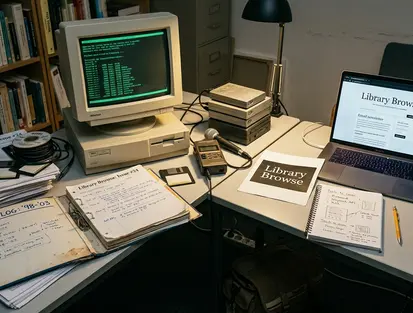
Then a small hand-built navigation table resolves into a crude map of a few blocks, and for a moment the city is explaining itself the way it once did, one link at a time.
That is the whole exercise. Pick one neighborhood, one institution, and one oddity, and open them side by side in a single sitting. A compact browse fits in fifteen to twenty minutes: five to seven for the neighborhood guide, five to seven for the civic or museum page, three to six for the webcam, guestbook, or broken splash screen. Look for at least three concrete traces before you close the laptop — an old transit note, a cultural listing, and a small map or directory.
Do that once, and the archive stops feeling like a graveyard of dead links. It starts feeling like a city talking quietly to itself, still legible, still waiting at the desk.