Why Numbered Newsletter Archives Break So Easily
How do you keep Issue 37 findable years after the newsletter platform, domain, or publishing rhythm changes?
That question sounds small until a reader asks for “the issue with the local map tools” and the archive only offers a search box, a few charming subject lines, and a platform export sitting in someone’s downloads folder. Numbered newsletters behave more like serial publications than ordinary blog posts. Readers lean on sequence, issue labels, dates, and the little context around the send.
The breakage usually arrives during practical moments: a domain move, a newsletter-platform export, or a shift from weekly sending to irregular publishing. The text may still exist, but order slips away.
- Platform migrations preserve the body while losing the issue trail.
- Missing issue numbers turn a serial archive into a pile of posts.
- Inconsistent titles make later redirects and folder names messy.
- Vanished landing pages remove the reader’s front door.
- Email-only archives trap the searchable copy inside a private inbox, provider dashboard, or browse-hostile export.
- Hard-to-export formats bury images, attachment links, alt text, and send metadata.
Important: A migration can preserve every issue body while breaking order if old title-based URLs redirect to topic pages instead of numbered canonical pages.
Criteria for Choosing the Best Preservation Methods
Start with five checks: durable issue identity, reader navigation, exportability, platform independence, and maintenance burden.
Those checks are ordered around preservation risk, not publishing convenience. Durable identity comes first because every later task depends on knowing what counts as Issue 001, Issue 002, and Issue 037. Reader navigation comes next because a newsletter archive is meant to be browsed as a run, not merely searched by keyword.
The useful order is plain: URL and label first, public index second, portable files third, mirrors and backups fourth. A small archive can begin with one public archive page and one private manifest before adding topic pages or mirrors.
No single tool protects numbering, context, files, and discovery by itself. The best setup layers a few modest habits and keeps them repeatable.
Preservation Methods That Keep Issues in Order
1. Create a Permanent Canonical Page for Every Issue
One public page per issue is the anchor. It does not matter whether the newsletter began in email, Substack, Buttondown, Ghost, or a static site. Each issue needs a stable web address that future readers can cite, bookmark, and recognize.
A workable canonical page includes the issue number, publication date, title, editor or author, a two-to-four sentence summary, the full body or a clear excerpt, original send context, and links to attachments. Good URL patterns keep the issue number visible: /newsletter/001/, /newsletter/037/, /issues/2024-001/, or /archive/issue-014/.
Avoid title-only slugs such as /five-strange-search-tools/ when the title may be rewritten later. The W3C’s W3C guidance that persistent URIs should not change supports the editorial habit of keeping public identifiers stable, though that guidance is stewardship advice rather than a legal preservation guarantee.
2. Maintain a Master Index Readers Can Scan
Search finds a phrase. An index shows the run.
The master index is the table of contents for the whole publication. It exposes gaps, renamed issues, skipped numbers, missing backups, and odd little side issues that a search page can hide. A public search page can appear complete while unpublished, renamed, or skipped issue numbers remain visible only in a manifest.
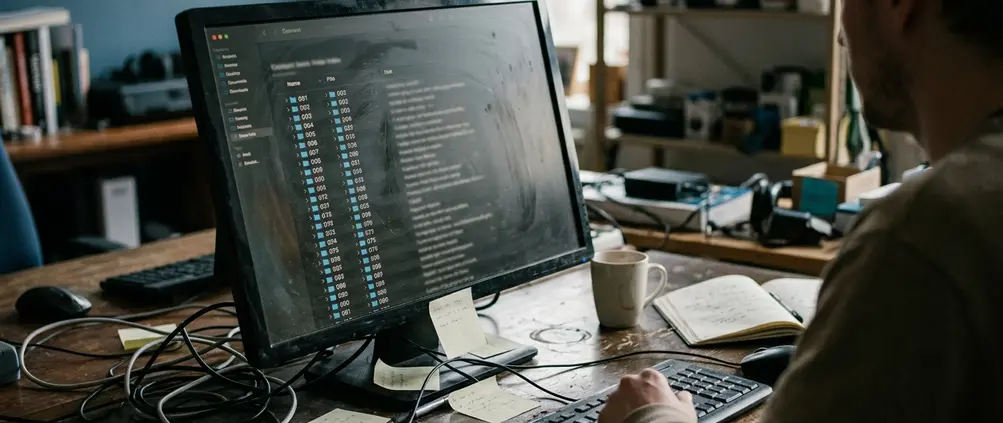
For readers, keep the index simple: issue number, date, title, theme or topic, and canonical URL. For the private manifest, add status, file backup status, mirror location, last checked date, and editorial notes.
Use zero-padded numbers from the start: 001 through 009, then 010 through 099. Folders and filenames will sort in sequence without special handling.
Field Note: For a newsletter below 100 issues, one archive page usually stays readable. After roughly 120 to 150 entries, yearly or thematic sub-indexes become easier to scan.
3. Standardize Titles, Dates, Slugs, and Issue Labels
Inconsistent labels look harmless on publication day. They become expensive during migration.
Separate the human headline from the archival label. A creative subject line can change; Issue 014 should not. Pick one canonical label style, such as Issue 014, and do not treat #14, No. 14, Issue Fourteen, and 014 as equal identifiers.
The archive-page title can still feel friendly. Use a format like this: Issue 014: Useful Map Tools for Web Explorers. It preserves the serial label while leaving room for the topic, whether the issue covers multimedia & web tech, places & local culture, or a clutch of web finds & curiosities.
Keep core metadata close to the issue: publication date, original send date if different, series name, editor name, category, tags, and canonical URL. If an issue is corrected after publication, store the corrected page date separately from the original send date instead of overwriting the chronology.
4. Save Each Issue in Portable, Plain Formats
Files help most when they can be matched back to a known issue. That is why portable formats come after canonical pages and the index.
Keep the web page as the public version, then store plain copies for migration, search, review, and repair. HTML and Markdown usually handle future moves better than a locked platform export. Plain text is modest but resilient. PDF is useful for printing and human review, especially when an issue has a layout worth preserving.
A copy-ready folder can look like this:
- /issues/001/index.html
- /issues/001/body.md
- /issues/001/body.txt
- /issues/001/assets/
- /issues/001/issue-001.pdf
Save the portable copy within a few days of publishing, while images, links, and send metadata are still easy to verify. Use filenames tied to the issue number, such as issue-001-body.md and issue-001-header-image.png.
Important: Private subscriber-only issues may need a redacted public page plus a complete private preservation copy, especially when paid material, student work, or licensed images are involved.
5. Preserve Images, Links, and Editorial Context
A newsletter issue is more than its text.
For a web-discovery archive, the value often sits in what the editor pointed toward: screenshots, thumbnails, captions, outbound links, alt text, and the reason a tool mattered at that moment. An email export can contain the text of Issue 037 but omit header images, alt text, attachment links, and the original send date.
When rights allow, save local copies of original images with filenames tied to the issue number. For Issue 001, use /issues/001/assets/ and names such as issue-001-tool-screenshot-01.png or issue-001-header-01.jpg.
For important links, capture three details when practical: the visible link text, the destination URL, and a one-sentence reason the editor included it. If a linked resource disappears or changes character, add an editor’s note dated with month and year rather than quietly deleting the reference.
Keep alt text with the issue body, not only inside a visual editor. Some export tools drop image descriptions, and the loss is both an accessibility problem and a context problem.
6. Use Versioned Backups Instead of One-Time Exports
An export is a snapshot, not a preservation plan.
Backups should answer three questions: what changed, when it changed, and how to roll back to the prior issue state. A backup of disorder simply preserves the disorder, so normalize labels, folders, and metadata before treating the archive as safe.
The rhythm can follow editorial events:
- Back up after each published issue.
- Check and back up the archive index about once a month.
- Export the archive several days before any platform migration.
Keep at least three storage locations: a local drive, a cloud folder, and a separate offsite copy or repository for text-based files. Before a migration, export the archive, download assets, save the index, and record the old URL pattern in the manifest.
7. Add Public Discovery Paths Without Replacing Chronology
Chronological navigation should remain primary. Topic browsing can sit on top of it.
Each issue page should include four navigation links when available: previous issue, next issue, latest issue, and full archive. That small set recreates the feeling of turning pages in a newsletter archive, even when the reader arrives from search years later.
Add topic tags after the first ten to fifteen issues, when recurring patterns are visible enough to avoid a new category for every send. A practical archive might use categories such as digital tools & productivity, creative & learning resources, multimedia & web tech, or places & local culture.
Educators and researchers may arrive a couple of years after publication, long after inbox search and social posts have stopped acting like reliable discovery paths. Clean issue URLs, a public archive page, recurring category pages, and a feed give them several doors into the same ordered run.
8. Mirror the Archive, But Do Not Outsource It
Mirrors are resilience layers. They are not the source of record.
Keep the canonical archive under the publisher’s control, then mirror the public index, milestone issues, and static exports first. Routine issues can follow once the manifest is accurate.
Record mirror metadata in the private manifest: issue number, canonical URL, mirror destination, copy date, file format, and known omissions. Third-party captures may miss images, block scripts, preserve pages after later edits, or store a version without newsletter-specific navigation.
Create a fresh mirror after major edits, after a domain move, and after every batch of roughly five to ten newly published issues.
Bottom Line: Treat the numbered issue page as the record, the index as the map, the portable files as the repair kit, and the mirror as insurance against awkward platform days.
Worked Example: Set Up Issue 001 So Every Later Issue Can Copy It
Use this as a template for the first issue of a small newsletter archive.
- Create the canonical page at /newsletter/001/.
- Title the page Issue 001: Five Strange Search Tools Worth Saving.
- Add the issue number, publication date, title, editor, a short summary, and the body.
- Save portable files at /issues/001/body.md, /issues/001/index.html, /issues/001/assets/, and /issues/001/issue-001.pdf.
- Name any saved image by issue number, such as issue-001-header-01.jpg or issue-001-tool-screenshot-01.png.
- Add a row to the private manifest with original platform type, canonical URL, backup location, file formats saved, mirror status, and last checked date.
- Add the issue to the public archive index with issue number, date, title, theme, and canonical URL.
- After Issue 002 exists, return to /newsletter/001/ and add previous, next, latest issue, and full archive navigation where applicable.
- Schedule the first archive check about a month after publication.
For a first entry, that is enough: one stable page, one visible index row, one portable folder, and one manifest record that future issues can follow without guesswork.