How Plain-Text Email Learned to Look Designed
Structure Became Style
Early network mail offered few visual luxuries. Publishers worked with narrow displays, limited fonts, inconsistent mail clients, and message bodies that had to survive plain-text delivery. Those constraints produced a recognizable craft: repeated characters became rules, spaces became layout tools, and a carefully placed blank line carried nearly as much weight as a paragraph break.
By the 1990s, newsletters and mailing-list digests had turned those habits into a compact visual language. A masthead built from equal signs could announce an issue before the reader reached its title. Indentation separated commentary from quoted mail. Short labels gave dates and issue numbers the tidy feel of a printed bulletin.
The historical RFC 822 message specification, published in August 1982, supplies useful context for message structure and line conventions. It does not establish a single historical appearance. Presentation changed with the year, terminal, mail reader, and mailing system.
A sound archival description therefore stays bounded: “newsletter issue, dated 1996-10-15, mailing-list distribution, viewing client unknown.” That wording records what survives without turning one specimen into a universal 1990s template.
Read an ASCII Newsletter from Its Edges Inward
Rules Reveal the Grid
Start with the longest repeated-character lines. Rows of hyphens, equal signs, or boxed edges usually reveal the intended body width. Once that boundary is visible, the smaller decisions make sense.
Typical components include a masthead, issue metadata, a contents list, boxed notices, indented quotations, article dividers, and a compact subscription footer. Restrained issues may use one 64-character rule, two-space contents indents, and labels padded to a shared colon position. At 72 columns, a 12-character metadata label leaves 58 columns after the colon and following space, so the available room can be measured rather than guessed.
Monospaced display is essential because each character occupies the same width. Five spaces form a predictable gap; a vertical bar can meet the edge above it; labels can align down the page. A proportional font assigns different widths to letters and punctuation, causing the grid to drift even when every underlying character remains intact.
Elaborate display lettering deserves caution. Large words assembled from slashes and underscores can look splendid in the original view, then collapse after a reply adds quotation markers or a browser substitutes a proportional typeface. Small mastheads tend to travel better.
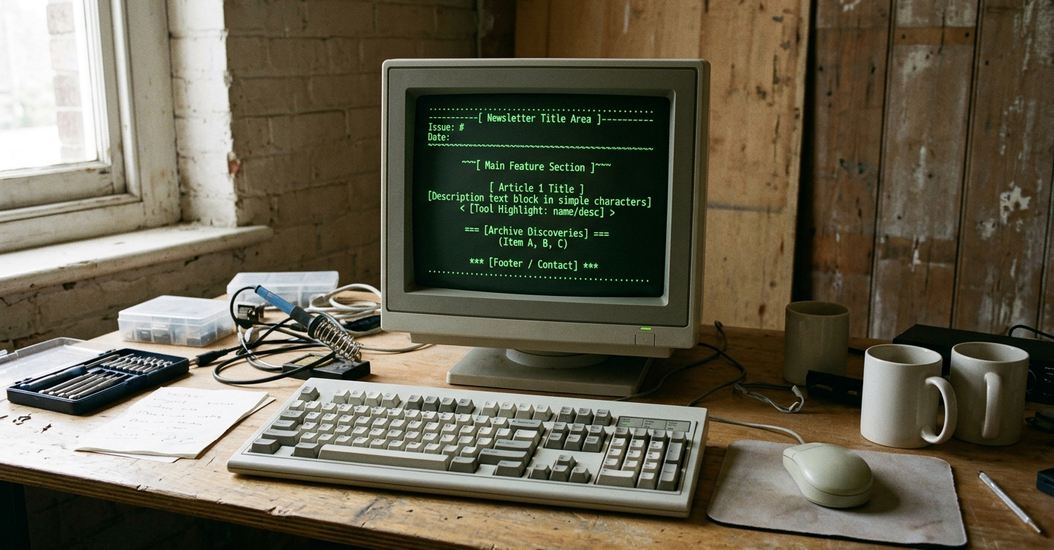
Rebuild the Issue Before Adding Its Ornament
A Grid That Survives Replies
The reliable sequence begins with prose, since paragraph wrapping determines the grid.
- Open a plain-text editor and disable smart punctuation, automatic bullets, and automatic paragraph reflow.
- Select a monospaced viewing environment.
- Choose a body width near 68 to 72 columns. This leaves room on an 80-column display for a reply marker and following space.
- Draft and hard-wrap each paragraph before constructing the masthead or dividers.
- Replace tabs with spaces, then search for any tab characters left behind.
A temporary ruler helps: type “1234567890” seven times, use its 70 characters to judge line length, and remove the entire ruler before publication. Simple characters such as =, -, +, and | provide enough structure for most issues. Every divider should stop at the chosen body boundary.
Tabs create one of the oldest portability traps. A divider that aligns in one editor can overrun the body when another reader expands a tab to a different stop. Spaces are dull, visible, and dependable.
Quote-Safe Width
Test representative lines with “> ” and “>> ” prefixes. Those additions consume two and three columns. Keep an unbroken address of 75 to 90 characters on its own line rather than inserting spaces that damage it.
The final formatting pass can fit into about 10 to 20 minutes when the body already wraps cleanly. This method applies to plain-text issues. Messages deliberately authored as rich text or multipart markup require preservation of those additional parts as well.
Keep the Received Message and the Intended Shape
Evidence and Interpretation
An original message source and a visual rendering answer different questions. The source retains headers, byte sequences, transfer encoding, line endings, exact spacing, and clues left by the delivery path. A rendering records how that material appears in one documented environment.
Duplicate the received source before opening it in an editor. Some editors normalize CRLF endings to LF or strip spaces from line ends as soon as they save. Those changes may seem harmless until a box loses its right edge or a transport artifact becomes impossible to identify.
For a small newsletter, retain three items:
- the untouched byte-level source;
- a UTF-8 access copy;
- a text or image rendering made in a documented monospaced environment.
UTF-8 conversion often improves access, especially when modern readers cannot interpret the earlier encoding. Inspect every replacement glyph and malformed sequence after conversion. The original file remains the reference when a character cannot be resolved confidently.
Source Before Repair
Log encoding conversion, repaired line breaks, deleted transport markers, viewing software, and the review date in a sidecar record. A useful scope note reads: “Interpretive rendering reviewed 2026-08-19; original client and terminal dimensions are not known.”
Find the Damage Added by Modern Software
Inspect Whitespace, Then Wording
When columns drift uniformly, check the font and tab expansion first. If only the right edges disappear, inspect trailing spaces. A browser-based archive may trim those spaces and leave an originally closed box looking open.
Other common intrusions include smart quotation marks, automatic list formatting, doubled quotation marks, unexpected replacement glyphs, and line breaks inserted after roughly 70 to 80 characters. Responsive reflow introduces a subtler problem because it changes with the window while authored hard wraps remain fixed.
Open the working file in two plain-text environments: one near 80 columns and another wider than 100 columns. Then compare the source and access copy with visible whitespace enabled. Tabs, trailing spaces, doubled blank lines, and CRLF or LF endings become easier to distinguish.
A one-page issue usually warrants around 5 to 10 minutes of line-by-line comparison. A break near column 72 may come from the author, the transport system, or the archive interface. Neighboring line endings and the untouched source should guide its classification. If the evidence remains mixed, record “source ambiguity” with the affected line numbers instead of silently smoothing the text.
Build a Tiny Newsletter as the Preservation Test
A 64-Column Reconstruction
The following specimen keeps its masthead, divider, body, and footer within 64 columns. It is deliberately small enough to inspect character by character.
================ WEB FINDS ================ISSUE 07 15 OCT 1996
CONTENTS 1. A compact search utility 2. An unusual personal archive 3. A guide to text-mode browsing
The useful page this week collects small reference tools in asingle plain-text index. Each entry includes a short descriptionand an address that can be copied without opening formatted mail.
----------------------------------------------------------------
SUBSCRIBE: send a plain-text request to the list address.RECONSTRUCTION — NOT A HISTORICAL ORIGINAL
Confirm the monospaced font, measure the longest line, remove every tab, and verify each intentional blank line. Reopen the saved file in another plain-text reader before declaring the grid finished.
Save a read-only plain-text master beside a separate display copy. The accompanying note should record the encoding, original and normalized line endings, editor category, and review date. This modest exercise works because it tests the full chain: authorship, saving, reopening, comparison, and description.
Preserve the untouched plain-text source first; treat every polished web rendering as a documented interpretation, never a replacement.