What Offline-Only Writing Meant for This Month
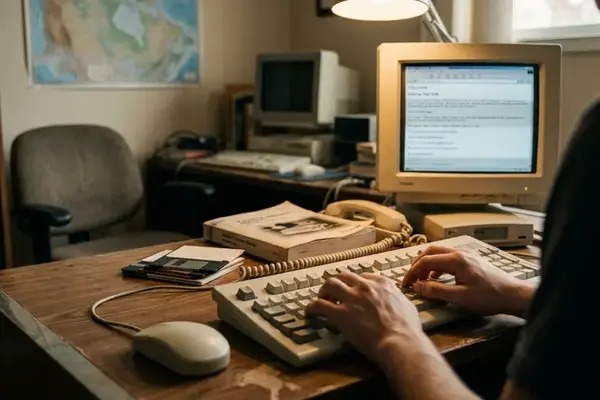
An offline-only writing workflow keeps five functions on the computer: drafting, editing, file storage, draft search, and clipboard history. The working copy remains a local file, opens in a desktop editor, and stays searchable without a browser account.
The boundary matters. This experiment covered composition for approximately one calendar month, meaning 28 to 31 consecutive days depending on the selected month. It did not attempt to disconnect the writer’s entire job from the web. Online research, collaboration, and final publishing remained outside the test because each involves people, sources, or systems beyond the local draft.
That distinction prevents a misleading result. A research-heavy assignment may require hours in a browser while still keeping every sentence of composition in a local editor. Conversely, a writer can spend little time online yet compose entirely inside a cloud document. Browser time alone cannot establish where the writing happened.
The central question was narrower and more useful: could two lean desktop utilities, in typical conditions, carry serious daily drafting while reducing subscription dependence and the steady pull of browser cues?
The Composition Line
A session counts as locally composed when the draft is opened, edited, and saved without moving the working copy into a browser editor. Research may happen online in a separate block.
Why Subscription Writing Became Worth Testing
The problem began before the first sentence. Reaching a draft had accumulated a small chain of prerequisites: open the browser, locate the right tab or dashboard, confirm the account session, find the document, and pass several unrelated prompts on the way to the cursor.
Subscription cost supplied only part of the reason to examine that chain. Attention and ownership carried more weight. When an application controls document navigation, search, revision access, and login state, it also shapes how the writer approaches an unfinished thought. A dashboard becomes the front door to work that could otherwise be a file in a known folder.
The dependency audit covered five conveniences:
- automatic synchronization;
- access from another device;
- browser-based document search;
- revision history;
- shared commenting or simultaneous editing.
Each convenience solves a real problem. The test therefore treated any account prompt, forced online handoff, or attempt to retrieve a draft from another device as a fallback. Quietly excluding those moments would make local drafting look easier than it was.
The local hypothesis reduced draft access to three actions: open the project folder, open the file, and place the cursor. This cursor-before-dashboard breakdown separates the effort required to make the first substantive edit from later costs such as research, review, and publication.
The Two Utilities and the File Rules
Two tools were enough to expose the workflow. A larger collection would have obscured which change affected the routine, so the setup used one lightweight offline text editor and one local clipboard-history utility.
The editor needed to launch quickly, open files directly, respond well to keyboard commands, and save in a portable text format. Dependable export mattered more than decorative writing modes. A draft that opens in another compatible editor remains useful after preferences change or a favored application disappears.
The clipboard manager handled the fragments that tend to scatter across old documents: a prepared phrase, a recurring disclosure, a formatting marker, or a short passage being moved between sections. Its requirements were searchable local history, keyboard retrieval, application exclusions, deletion controls, and little interface clutter.
Files became the organizing layer. The path used four levels: a writing root folder, a project folder, a status folder such as active or submitted, and the draft file itself. That structure is plain enough to inspect with the operating system’s file browser and portable enough to survive an editor change.
- Create the local file in the appropriate project and status folder.
- Open it directly in the desktop editor.
- Draft and revise without transferring the working copy to a browser editor.
- Retrieve reusable text from local clipboard history.
- Save locally, then back up to a separate verified destination.
The brief does not identify the operating systems, number of devices, chosen calendar month, permitted cloud services, or categories of writing completed. Those fields must remain undocumented rather than being filled with plausible details. The method can still be evaluated because its boundaries and operating sequence are explicit.
Restore Before Day One
Create a sample draft in a portable plain-text format, copy it to the backup destination, delete the working copy, and restore it. Open the restored file in a second compatible editor. A backup earns trust through a completed restore, not through the reassuring presence of a copy icon.
How the Browser Reflex Gave Way to Folders
The month is best reconstructed in three chronological bands rather than polished into a seamless success story.
Days 1–7: Old Motions, New Storage
During the first week, the revealing moments occur before conscious choice. The browser opens by reflex. A familiar shortcut leads toward a cloud dashboard. The writer searches for controls that belong to an online editor, then remembers that the active draft sits in a local folder.
Those interruptions belong in the session record. A useful entry includes the date, project filename, local start method, reason for opening a browser, any cloud fallback, and the backup status at the end. Recording the reason distinguishes necessary source gathering from habitual document access.
Early corrections usually concern filenames and paths. A file called draft.txt works until around three projects contain one. Predictable names should identify the project and revision state without requiring application search.
Days 8–21: Repetition Builds the Route
By the middle band, the routine can begin to stabilize. The writer opens the project folder directly, selects the expected filename, retrieves repeated language from clipboard history, and saves through the same local sequence. Online research moves into a deliberate block instead of remaining beside the draft as an always-open tab.
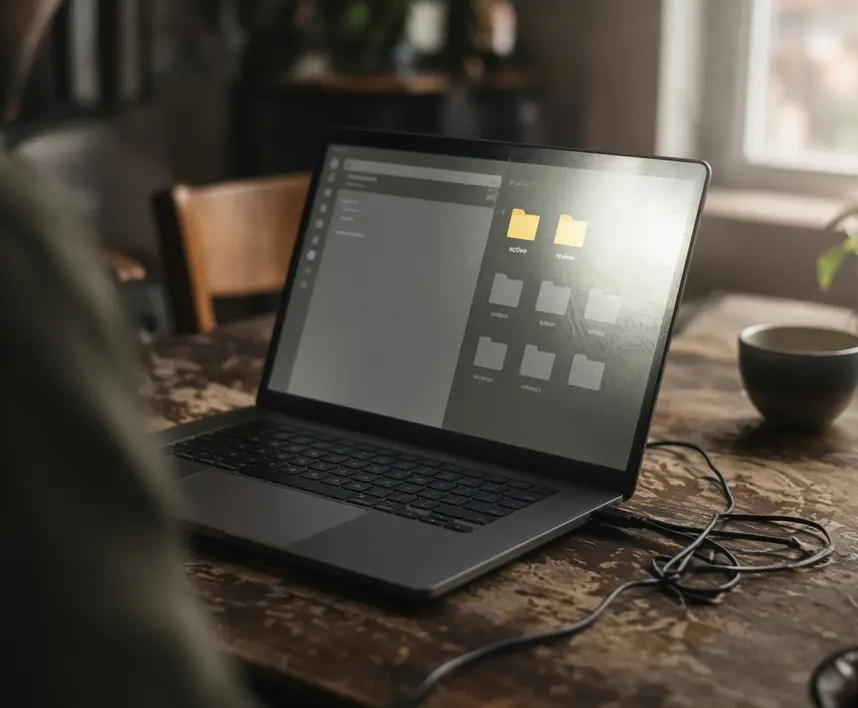
Local folders now perform the role once assigned to a cloud dashboard. The status folder answers a basic question immediately: is this draft active, waiting for review, or submitted? Navigation stays visible because the hierarchy exists independently of a particular writing application.
Days 22–Final Day: Testing Repeatability
The final band asks whether the route holds under ordinary pressure. A repeatable session starts from the file system, keeps the working copy local, and ends with a checked backup. Familiarity alone is weak evidence; dated records showing the same sequence across different assignments provide a firmer basis.
A browser opening does not automatically disqualify a session. Its purpose decides the classification. Looking up a source while the draft remains local fits the experiment. Moving the working copy into a web editor turns that session into a cloud fallback.
The Friction Appeared at Handoffs
Inside one editor on one computer, the arrangement is straightforward. Complexity arrives at the one-computer drafting seam, where another machine or another person needs access.
Automatic synchronization previously hid many transfer decisions. Under the local method, a device change requires an explicit route and a clear answer about which copy is authoritative. Writers who move repeatedly between computers during the same assignment will feel this cost quickly.
Sharing creates a similar boundary. An editor, client, or colleague eventually needs a copy that can be commented on or revised. The handoff might be deliberate, yet it can produce four recognizable version problems:
- duplicate working copies;
- ambiguous filenames;
- an earlier revision being overwritten;
- edits returning through a separate channel.
Revision suffixes help only when everyone follows the same convention. A returned attachment called final-revised-new carries less information than a filename tied to a date or review stage. The local master should remain identifiable throughout the exchange.
Clipboard history introduces a quieter risk. Copied text can include material that should not persist indefinitely. Housekeeping needs three controls: excluded applications, automatic clearing or a bounded retention window, and a manual clear command that has actually been tested.
Clipboard Boundaries
Exclude applications that regularly handle sensitive text. Set a retention rule the writer can explain, then verify that manual clearing removes an item before relying on the manager for daily work.
This workflow transfers poorly to real-time teams and writers who switch computers throughout an assignment. Synchronization and simultaneous review are central requirements in those settings, so a local working copy creates more handoffs than it removes.
What the Records Can Say About Focus and Speed
No session totals, start-to-writing measurements, recovery incidents, or missing clipboard counts were supplied with the case-study material. Exact outcome figures would therefore be invented, and they should not be published.
The defensible result is structural: local drafting removes account and dashboard steps from document access, while cross-device use and sharing introduce explicit transfers. Impressions of calmer focus may belong in a diary, though they cannot substitute for a session ledger.
The minimum ledger contains five countable fields:
- sessions completed locally;
- cloud fallbacks;
- file-recovery attempts;
- failed recoveries;
- expected clipboard items that could not be found.
Start-to-writing timing also needs a fixed definition. The clock begins when the writer initiates access to the project and stops at the first substantive insertion, deletion, or replacement. Moving the cursor does not count. This rule keeps a local file opening and a cloud-dashboard opening comparable.
A beginning-to-end comparison should repeat the same action. Opening an existing project on an early day can be compared with opening that project near the end of the month. Diary entries may then explain interruptions, such as an account prompt early in the trial or a direct folder launch later.
Evidence quality matters here. Session notes can establish whether the browser reflex diminished, whether retrieval became predictable, and where handoffs interrupted the sequence. They cannot produce precise speed gains after the fact. Separating the countable ledger from the descriptive diary keeps both useful.
A Deliberate Split Between Local Drafts and Cloud Review
The month points toward a division of labor. Material controlled by one writer fits local storage well: idea capture, private notes, reusable snippets, first drafts, and long-form revision. These tasks benefit from direct file access and an interface with few competing cues.
Networked tools earn their place when another person must comment, edit simultaneously, publish the work, or reach it independently from another device. Moving a draft online at that stage makes collaboration a visible handoff instead of allowing collaborative infrastructure to govern every early sentence.
A cautious trial can begin with one active project across an estimated seven consecutive drafting days. Before the first day, the writer should create a sample file, back it up, delete the working copy, restore it, and open the restored version elsewhere. During the trial, every forced fallback receives one of four causes: collaboration, remote-device access, online-only source material, or publishing.
Before Taking One Draft Offline
- Create the draft in a portable plain-text format supported by more than one editor.
- Place it in a named project folder whose location can be stated without application search.
- Copy it to a separate backup destination and complete a test restore.
- Confirm that the clipboard manager can exclude applications and clear retained items.
- Identify the later route for shared review or publishing.
At the end, three questions matter: Were drafts recoverable? Was local retrieval predictable? How often did another person or device require an online copy? Those answers determine whether the trial should extend to a full calendar month.
The Next Draft Starts With Wi-Fi Off
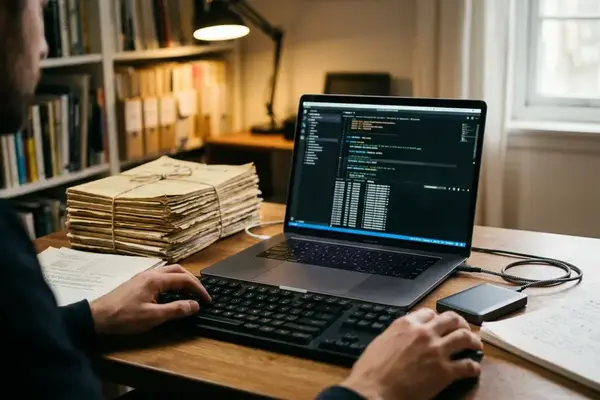
The next assignment begins at a quiet desk. The writer switches off Wi-Fi, opens the known project folder, and selects the local draft. A prepared phrase appears from the desktop clipboard manager, ready for the opening paragraph.
The cursor starts moving before a dashboard, tab, or account prompt enters the sequence.
For one draft, that is enough of a test. The file opens, its backup has already survived a restore, and the review route is written down. Wi-Fi returns at the planned research or handoff point; until then, the sentence on screen has the room to become the next one.